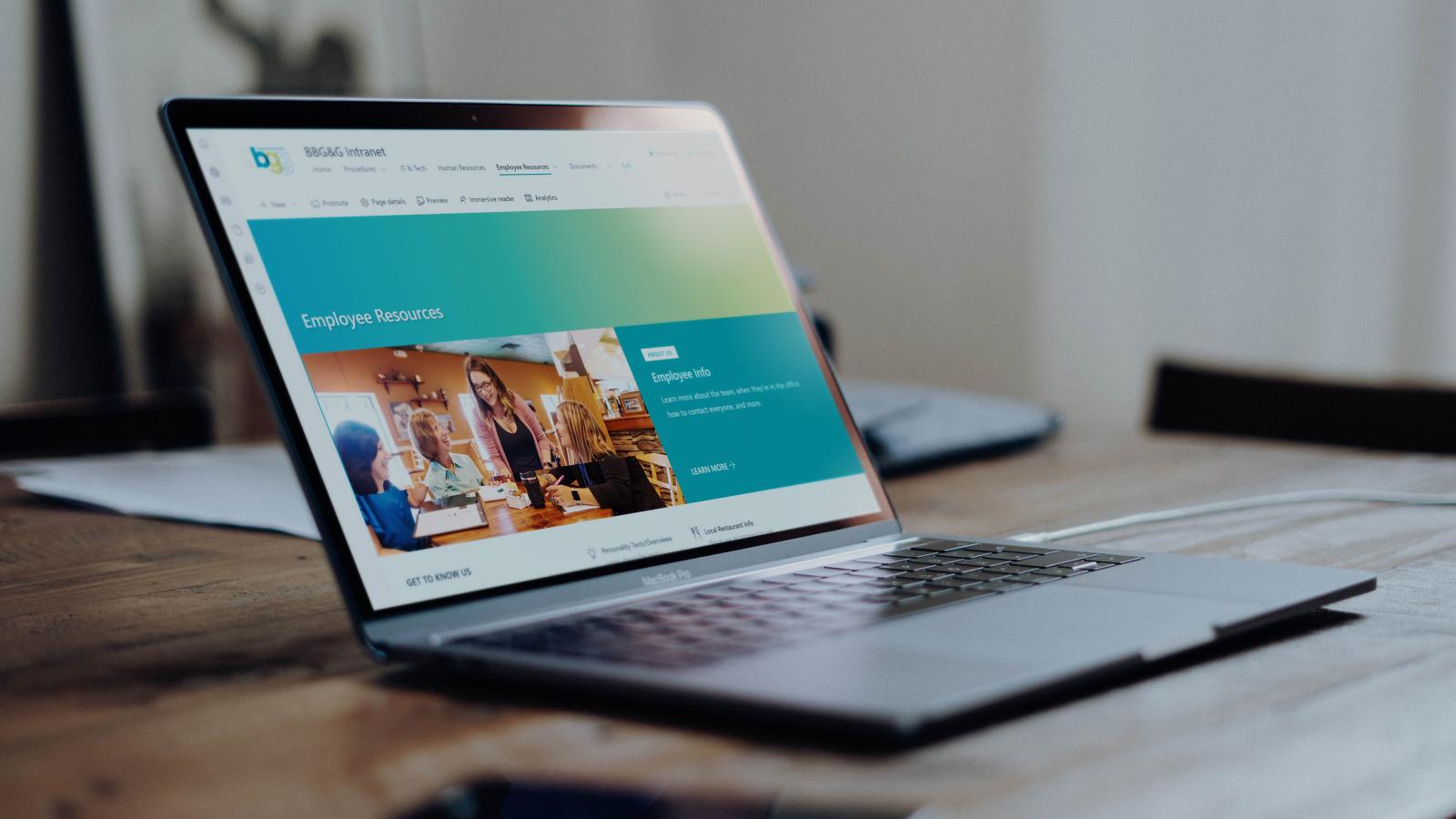
Designing a centralized intranet to streamline knowledge sharing and team collaboration
BBG&G Integrated Marketing
Responsibilities
- Project initiation and planning
- Information architecture and documentation strategy
- Platform research and implementation
- Responsive web development
- Cross-team coordination and documentation review
Role
UX Designer & Web Developer
Tools
Microsoft SharePoint, HTML/CSS, Microsoft ecosystem tools
Problem
Internal procedures, documentation, and company resources were stored across numerous server folders that had grown difficult to navigate and maintain. Employees often struggled to locate the most up-to-date information, leading to inefficiencies and reliance on institutional knowledge. Recognizing the impact this had on productivity and collaboration, I proposed creating a centralized intranet that would consolidate internal documentation and make resources easier for the team to find and maintain.
Challenges
- Important documents were scattered across multiple locations
- Folder structures reflected internal department organization rather than user needs
- Employees often relied on colleagues to locate information
- No centralized system existed for naming conventions or maintaining and updating documentation
We needed a clear way to access and update information that was intuitive to any employee, whether seasoned or fresh hire.
Goals
- Create a centralized hub for internal documentation and resources
- Improve the discoverability and organization of internal knowledge
- Establish a scalable structure for maintaining company documentation
- Reduce time spent searching for internal resources
Technology Stack
The organization did not have an existing intranet platform, so I researched potential solutions and recommended Microsoft SharePoint as the platform that best aligned with the company’s existing tools and workflows. Because SharePoint was new to me, I independently learned the platform in order to design and implement the intranet.
Content Organization
Documentation was owned by multiple departments, requiring coordination with team members to ensure resources were accurate, complete, and properly organized.
Userbase
I had to ensure the solution was easily accessible and editable by a range of users who had different levels of technological expertise.
Identifying the Opportunity
Through daily workflows and conversations with coworkers, it became clear that employees spent significant time searching for documentation across various folders and files.
I proposed building a centralized intranet that would:
- centralize company resources
- simplify navigation
- improve internal knowledge sharing
After gaining team support for the idea, I began planning the structure and platform for implementation.
Platform Research
I evaluated several potential solutions for hosting the intranet, considering:
- ease of use for employees
- compatibility with existing company tools
- long-term scalability and maintenance
Based on these factors, I selected Microsoft SharePoint as the most effective solution.
Information Architecture
To organize the intranet, I designed a structure that grouped information based on how employees searched for resources, rather than how files were historically stored.
Key Improvements
- Created clear navigation categories for major documentation types
- Consolidated scattered files into structured sections
- Developed consistent naming and organization standards
- Reduced redundant or outdated documentation
To ensure accuracy, I assigned sections of documentation to team members for review and updates, coordinating the organization of content across departments.
Design Approach
Usability
The intranet was designed to prioritize efficiency and clarity. Key design decisions included:
- simple navigation for frequently used resources
- structured page layouts for documentation
- clear headings and organization to support scanning and quick access
Consistency
Standardized layouts and documentation structures helped ensure the system remained easy to maintain as additional content was added.
Implementation
Development highlights
- Independently learned Microsoft SharePoint to design and build the intranet
- Developed the site structure and internal navigation system
- Migrated and reorganized documentation from existing server folders
- Built pages for internal procedures, resources, and documentation
Improvements/Results
The intranet provided employees with a centralized and organized hub for company knowledge, improving how teams accessed and maintained documentation.
Outcomes
- Improved access to internal procedures and resources
- Reduced time spent searching for documentation
- Established a scalable structure for maintaining company knowledge
- Improved internal collaboration and knowledge sharing
Reflection
What I’d continue improving:
- Conduct usability feedback sessions with employees to refine navigation
- Develop documentation standards to ensure long-term consistency
Key Takeaways
This project demonstrated the value of identifying workflow inefficiencies and designing solutions that improve team productivity. By proposing, organizing, and building a centralized intranet, I helped transform scattered documentation into a structured and accessible knowledge hub that supports more efficient collaboration across the organization.